
Design System Services in Toronto
I create and extend design systems: reusable components, design tokens and clear guidelines that keep your product consistent and help your team design and build faster.
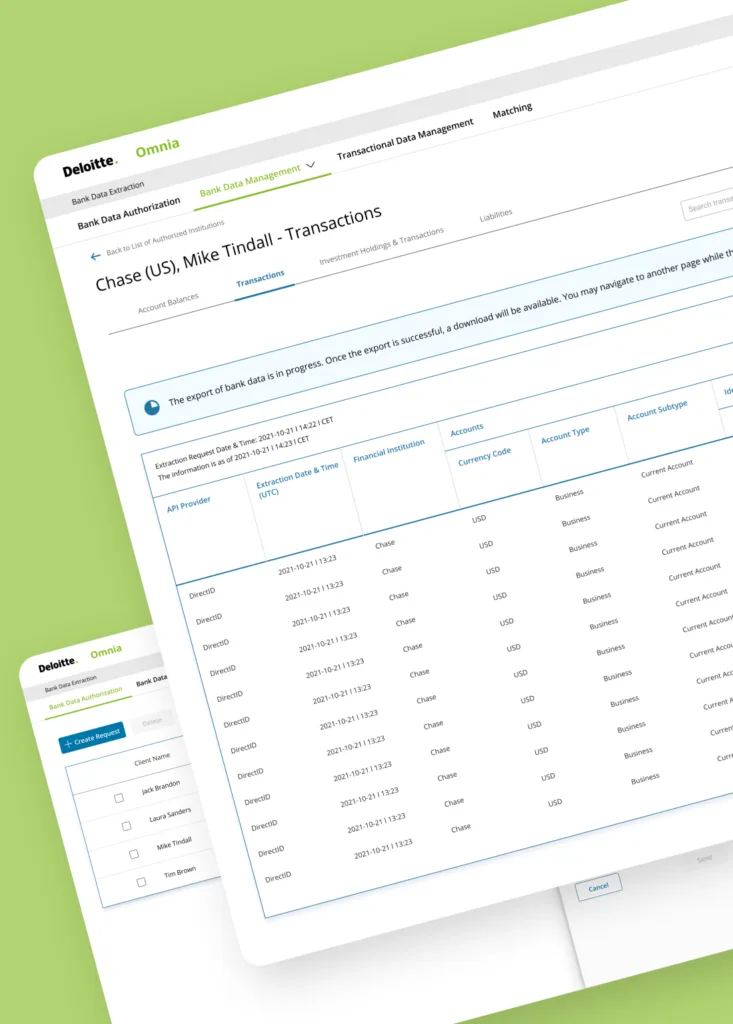
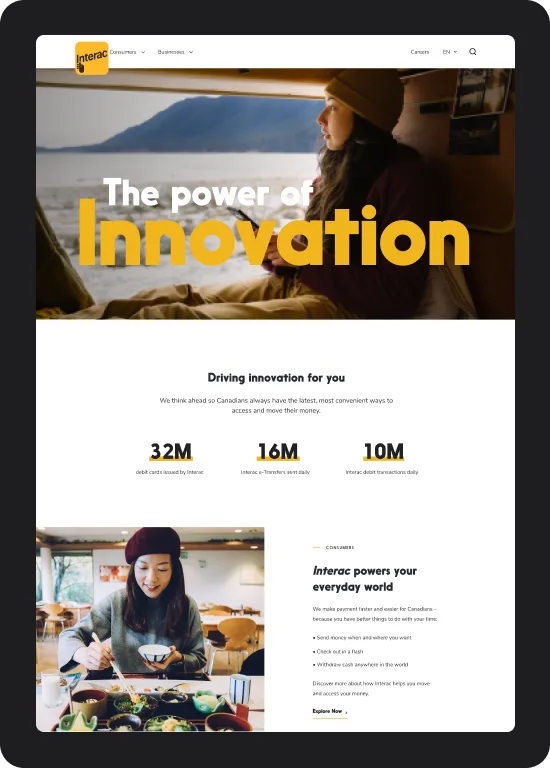
I’ve built or extended design systems for Deloitte’s Bankflow, Interac and Abode, and designed within two government design systems at once for the WSIB and Government of Ontario portal.
Design system services
Design system audit
An inventory of your screens and components to find inconsistencies, duplicates and accessibility gaps, with a plan to fix them.
Foundations and design tokens
Colour, type, spacing and elevation defined as tokens that design and code share, so a change in one place updates everywhere.
Figma component library
Components with variants, states and auto layout, documented so designers know when and how to use each one.
Coded components
Components built in code to match the Figma library, including WordPress block themes and patterns, so what is designed is what ships.
Documentation and governance
Usage guidelines, content rules and a clear process for adding or changing components as the product grows.
Accessibility built in
Contrast, focus states, touch targets and screen reader behaviour handled once in the system, instead of fixed screen by screen.
Why invest in a design system
Without a system, every team reinvents buttons, forms and layouts, and the product slowly drifts apart. A design system gives everyone the same building blocks, which means faster design, faster development, fewer bugs and a product that feels like one brand.
Read more in how design systems propel business growth.
How a design system project works
- Audit. I review your product, existing components and how your teams work today.
- Foundations. We agree on tokens for colour, type, spacing and more.
- Components. I design the core components first, then extend to more complex patterns.
- Code. Components are built to match, or handed to your developers with full specs.
- Documentation. Guidelines and examples your team can follow.
- Rollout and training. The system is applied to real screens, and your team learns to use and maintain it.
What you get
- An audit of your current interface
- Design tokens for colour, type, spacing and more
- A Figma component library with variants and states
- Coded components or developer-ready specs
- Usage and accessibility guidelines
- Training for designers and developers
Recent design system work
- Bankflow (Deloitte): a design system for complex audit software.
- Interac: a flexible, scalable system for a responsive Content Hub and chatbot.
- Ontario Health (ONE Access): a refreshed design system for a digital health product.
- WSIB / Government of Ontario: one portal that had to work with two existing government design systems.
Design system FAQ
When does a team need a design system?
Usually when more than one designer or team works on the same product, when screens start to look inconsistent, or when simple changes take too long to ship.
Can you extend our existing design system?
Yes. Many projects build on a system that already exists, adding missing components, fixing accessibility and improving documentation.
Do you work in Figma?
Yes. Libraries are built in Figma with variables, variants and auto layout, and matched to coded components.
Do you only work with Toronto companies?
No. I’m based in North York and happy to meet clients across the GTA in person, and I work remotely with teams across Canada and the US.
Let’s talk about your design system
Tell me about your product and your team, and I’ll get back to you with next steps and a quote.